In Teachme Process, the access scope for each process is configured using two settings: "Organization-Wide Permission" and "User-Specific Permissions".
This article summarizes what each permission allows and how permissions are determined.
Overview
Process permissions are configured from "Permissions" in the header of the process detail screen.
To apply settings to multiple processes at once, select processes from Processes or Favorites, then configure them from "Permission Settings".
- Organization-Wide Permission…Grants permissions to all members of the same organization at once
- User-Specific Permissions…Grants permissions individually to specific users only
These two can be used in combination.
Specifications
Organization-Wide Permission
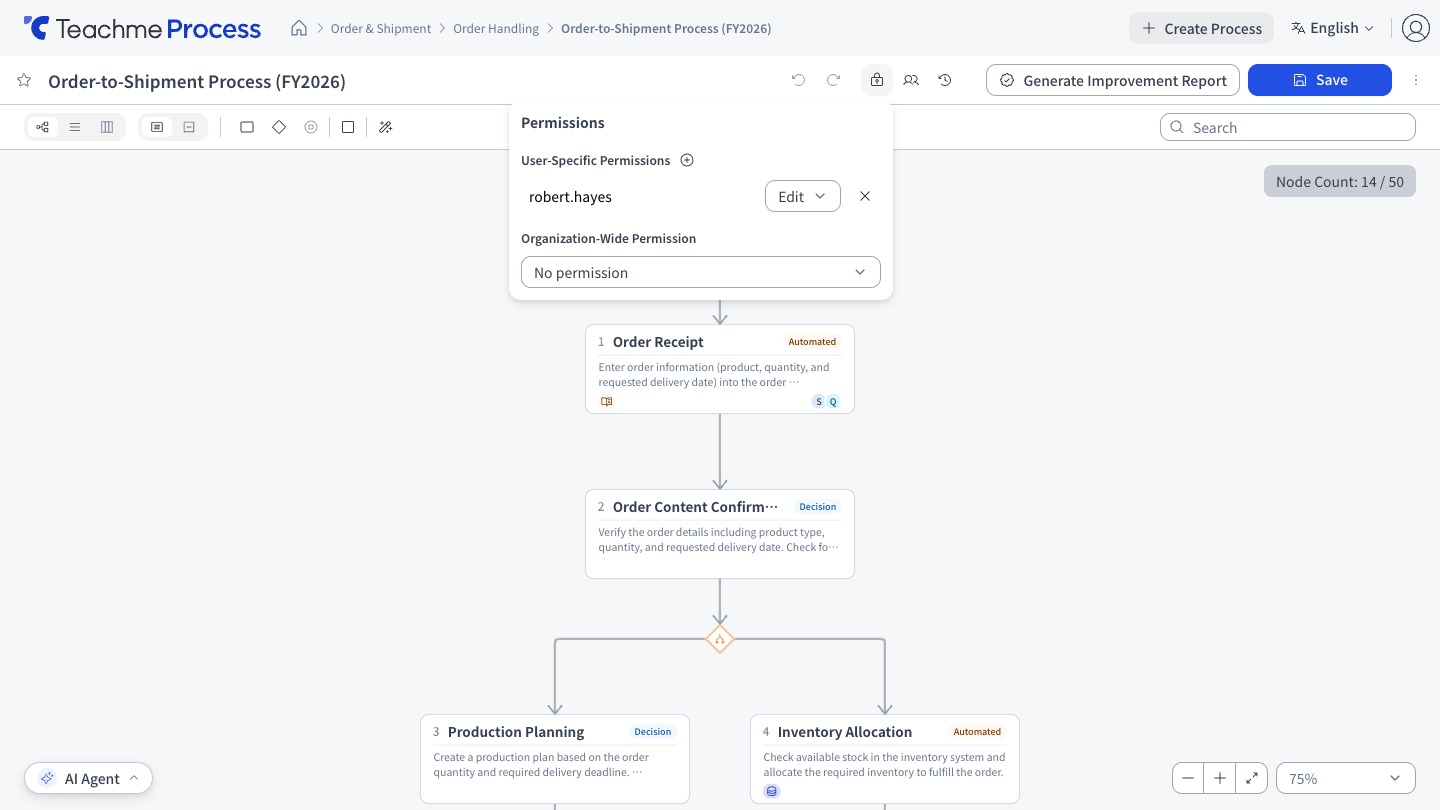
Choose from 3 options.
The default value is "No permission".
-
No permission…Access is not allowed.
Only users who have been granted User-Specific Permissions can access the process - View…View the process
- Edit…View, edit, share, delete, manage permissions, and manage Version (same as "Edit" in User-Specific Permissions)
User-Specific Permissions
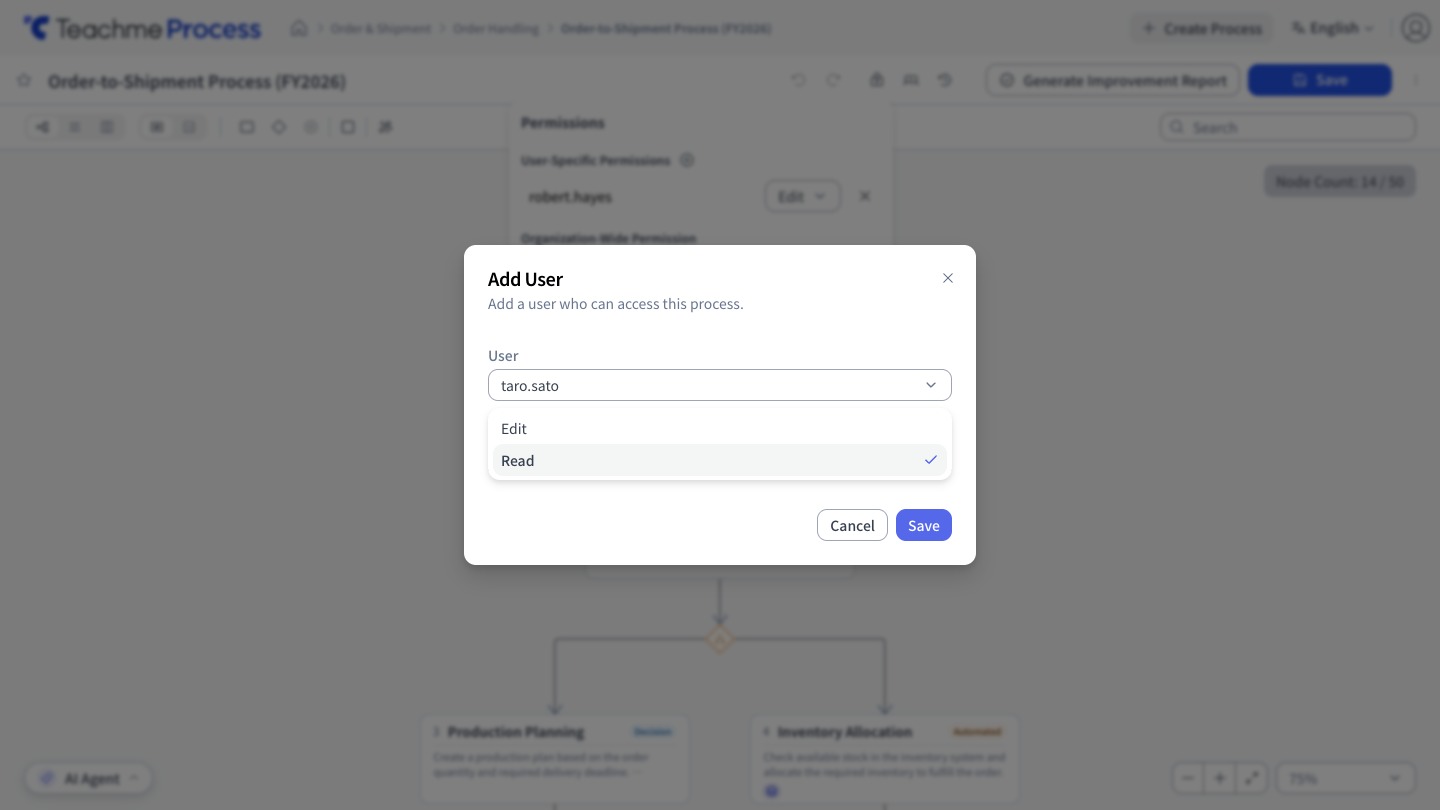
- Edit…View, edit, share, delete, manage permissions, and manage Version
- View…View the process
Users are added by searching by name.
You can select up to 50 users at once and add them all with the same permission.
Users who have already been added will not appear as candidates in search results.
How Permissions Are Determined
If an action is permitted by either the Organization-Wide Permission or User-Specific Permissions, that action can be performed.
Both do not need to be satisfied.
Therefore, if the Organization-Wide Permission is set to "Edit", members who have not been granted User-Specific Permissions can also edit.
If you want to allow only specific users to edit, set the Organization-Wide Permission to "No permission" or "View".
Restrictions
- A process must have at least one editor. You cannot remove the last editor or change their permission to View
- The creator's permission cannot be changed. The creator automatically becomes an editor when the process is created
- In the User-Specific Permissions list, Deleted users are shown with "(removed)"
Applying Settings to Multiple Processes at Once
Select processes by checking their checkboxes in Processes or Favorites, then click "Permission Settings" to apply settings to all selected processes at once.
- Bulk actions are limited to changing the Organization-Wide Permission and adding users.
The default value for Organization-Wide Permission in this case is "Do not change" - You can configure up to 50 processes at a time, and add up to 50 users
- Permissions for users who have already been added will not change
- You can only select processes for which you have edit permission.
Processes without edit permission cannot be selected via the checkbox - To change or remove permissions for already-added users, or to configure External Publication, open each process and configure them one at a time
How To
Set permissions for multiple processes at once
https://teachme.jp/8/manuals/51768054
Change the organization-wide permission (none, view, or edit)
https://teachme.jp/8/manuals/49803234
Add a user to a process
https://teachme.jp/8/manuals/49818501
Change a user-specific permission on a process (edit or view)
https://teachme.jp/8/manuals/49818538
Remove a user from a process
https://teachme.jp/8/manuals/49818513