In Teachme Process, the access scope for each process is configured using two settings: "Organization-Wide Permission" and "User-Specific Permissions." This article summarizes what each permission allows and how permissions are determined.
Overview
Process permissions are configured from "Permissions" in the header of the process detail screen.
- Organization-Wide Permission…Grants permissions to all members in the same organization at once
- User-Specific Permissions…Grants permissions individually to specific users only
These two can be used in combination.
Specifications
Organization-Wide Permission
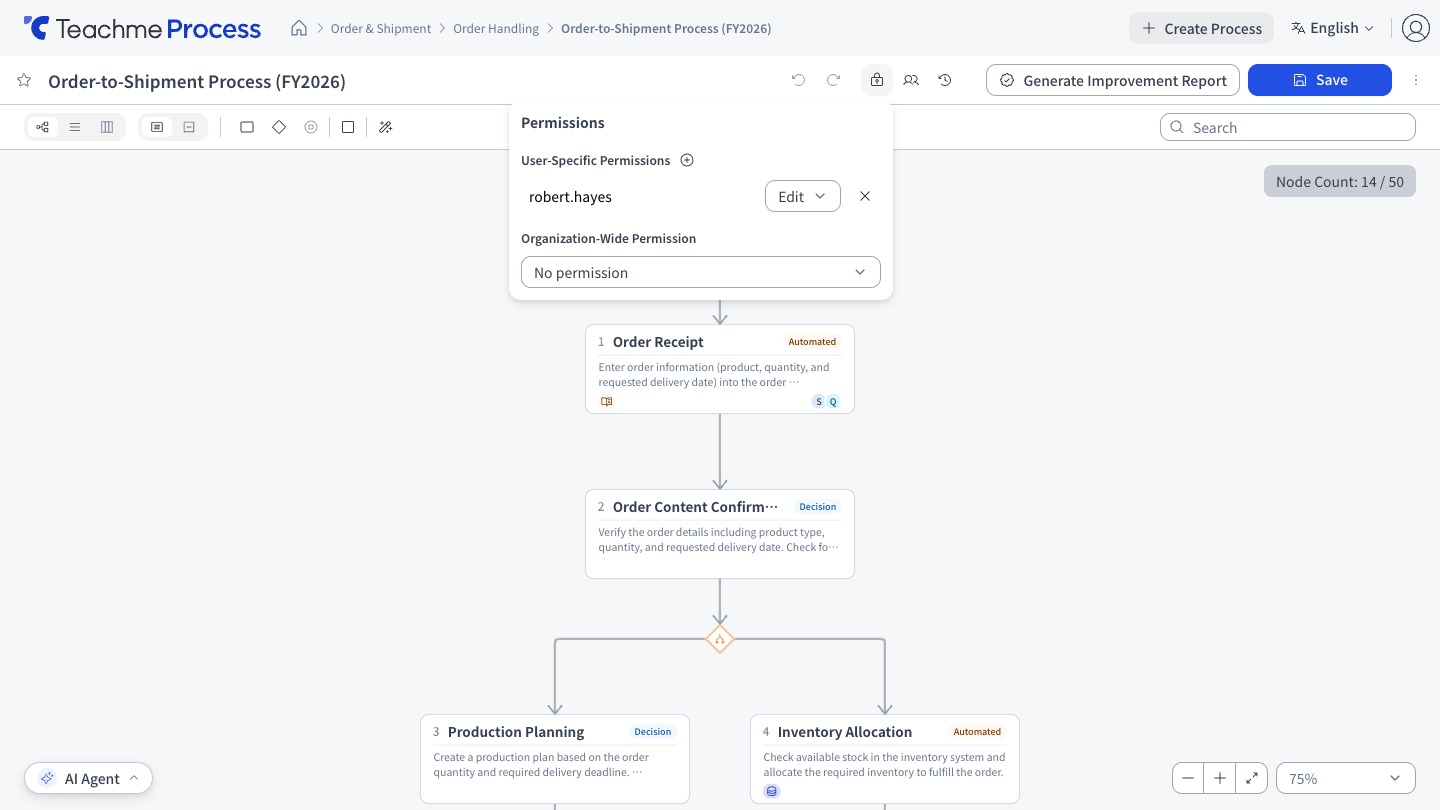
Choose from 3 options. The default is "No permission."
- No permission…Access is not allowed. Only users granted User-Specific Permissions can access
- View…View the process
- Edit…View, edit, share, delete, manage permissions, and manage Versions (same as "Edit" in User-Specific Permissions)
User-Specific Permissions
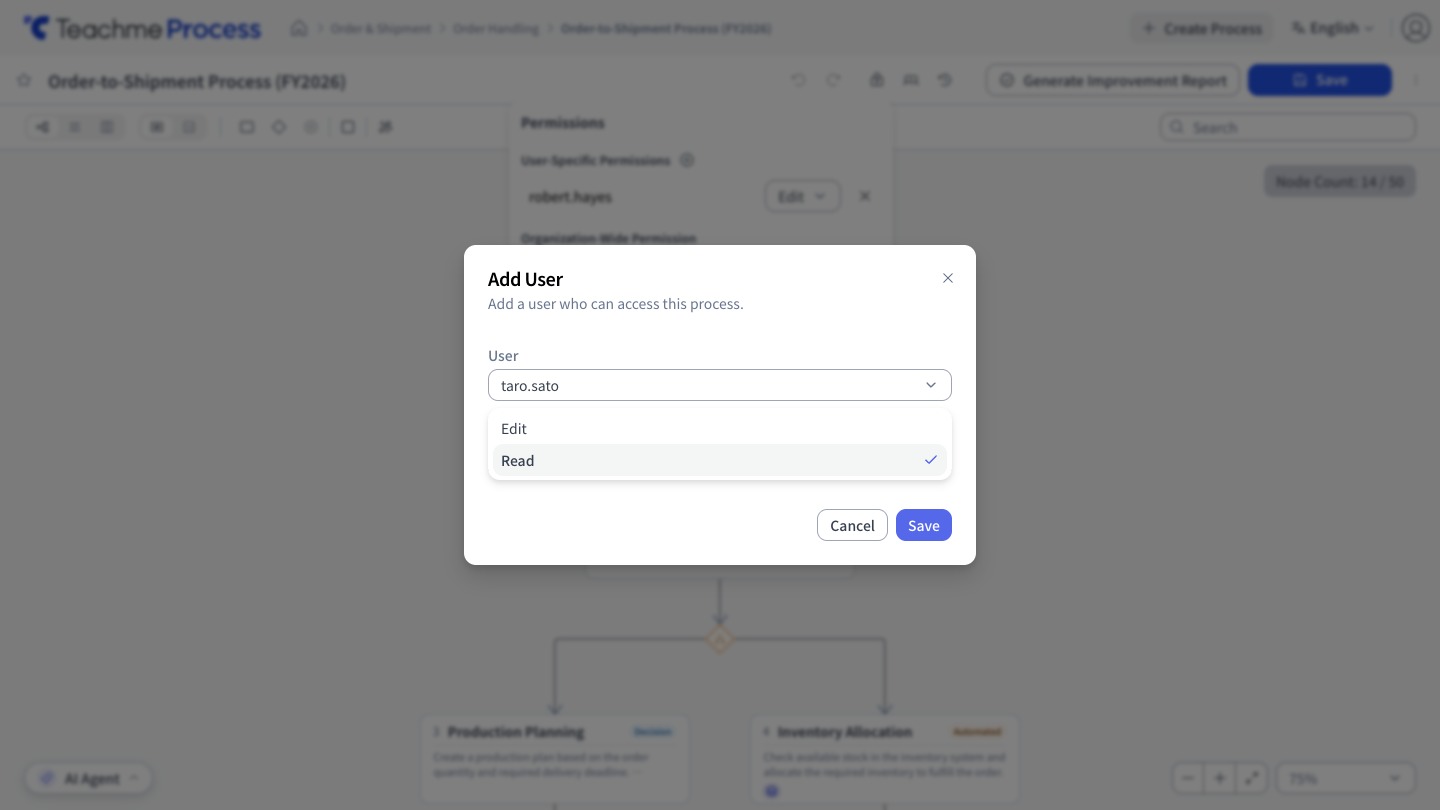
- Edit…View, edit, share, delete, manage permissions, and manage Versions
- View…View the process
How Permissions Are Determined
An operation can be performed if it is permitted by either the "Organization-Wide Permission" or the "User-Specific Permissions." Both do not need to be satisfied.
Therefore, if the Organization-Wide Permission is set to "Edit," members who have not been granted User-Specific Permissions can also edit. If you want to allow only specific users to edit, please set the Organization-Wide Permission to "No permission" or "View."
Restrictions
- A process requires at least one editor. You cannot remove the last editor or change their permission to View
- The creator's permission cannot be changed. The creator automatically becomes an editor when the process is created
- In the User-Specific Permissions list, Deleted users are displayed as "(removed)"
How to Use
Change the organization-wide permission (none, view, or edit)
https://teachme.jp/8/manuals/49803234
Add a user to a process
https://teachme.jp/8/manuals/49818501
Change a user-specific permission on a process (edit or view)
https://teachme.jp/8/manuals/49818538
Remove a user from a process
https://teachme.jp/8/manuals/49818513