The Generate Improvement Report feature allows AI to compile business improvement proposals based on the processes you have created. The report can be exported as a PDF.
Overview
This feature is accessed via "Generate Improvement Report" in the header of the Process Details screen. While the report is being generated, a progress bar and the content being generated are displayed.
Reports are generated in accordance with the language setting of the screen (Japanese, English, Thai, or Vietnamese).
Specifications
Report Contents
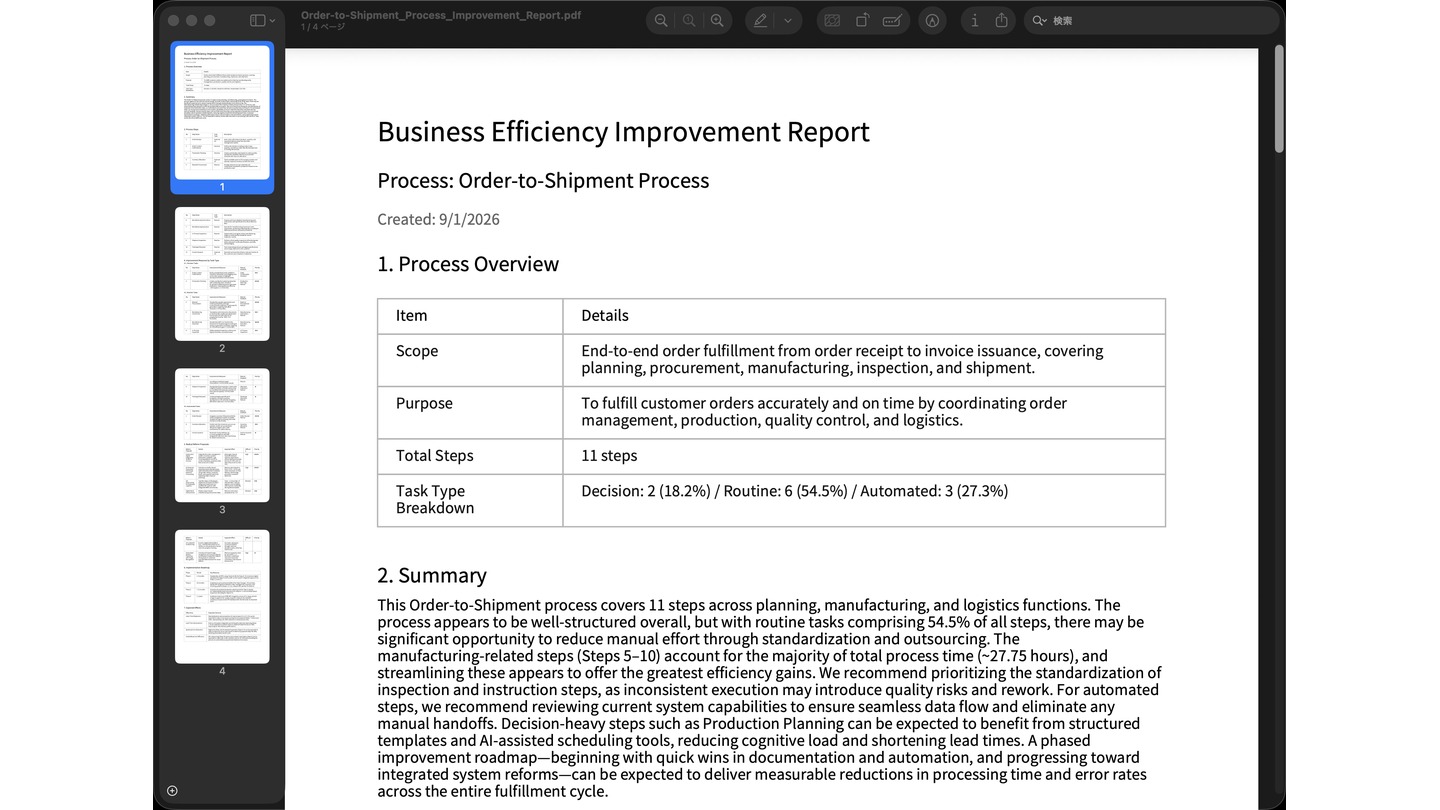
- Process Overview...Scope, purpose, Total Steps, and the count and ratio of each type: Decision / Routine / Automated
- Summary
- Step List...No., name, Task Type, and description
- Improvement Proposals...Three categories: Decision Tasks / Routine Tasks / Automated Tasks. Each includes measures, a Manual Example, and a priority level (★★★ / ★★ / ★)
- Radical Reform Proposals...Details of the reform and its expected effects
About Task Types
The Task Types shown in the Process Overview and Step List are aggregated from the "Task Type (Decision / Routine / Automated)" set on each Execution Node.
For nodes where no Task Type has been set, the AI will estimate it based on the content. When a Task Type has been estimated, this will be indicated in the Step List. For accurate aggregation, it is recommended to set the Task Type on each Execution Node in advance.
How to Use
Generate an improvement report (PDF)
https://teachme.jp/8/manuals/49833285
Related
How do I configure nodes and edges?
https://help.process.teachme.jp/hc/en-us/articles/61437158696857