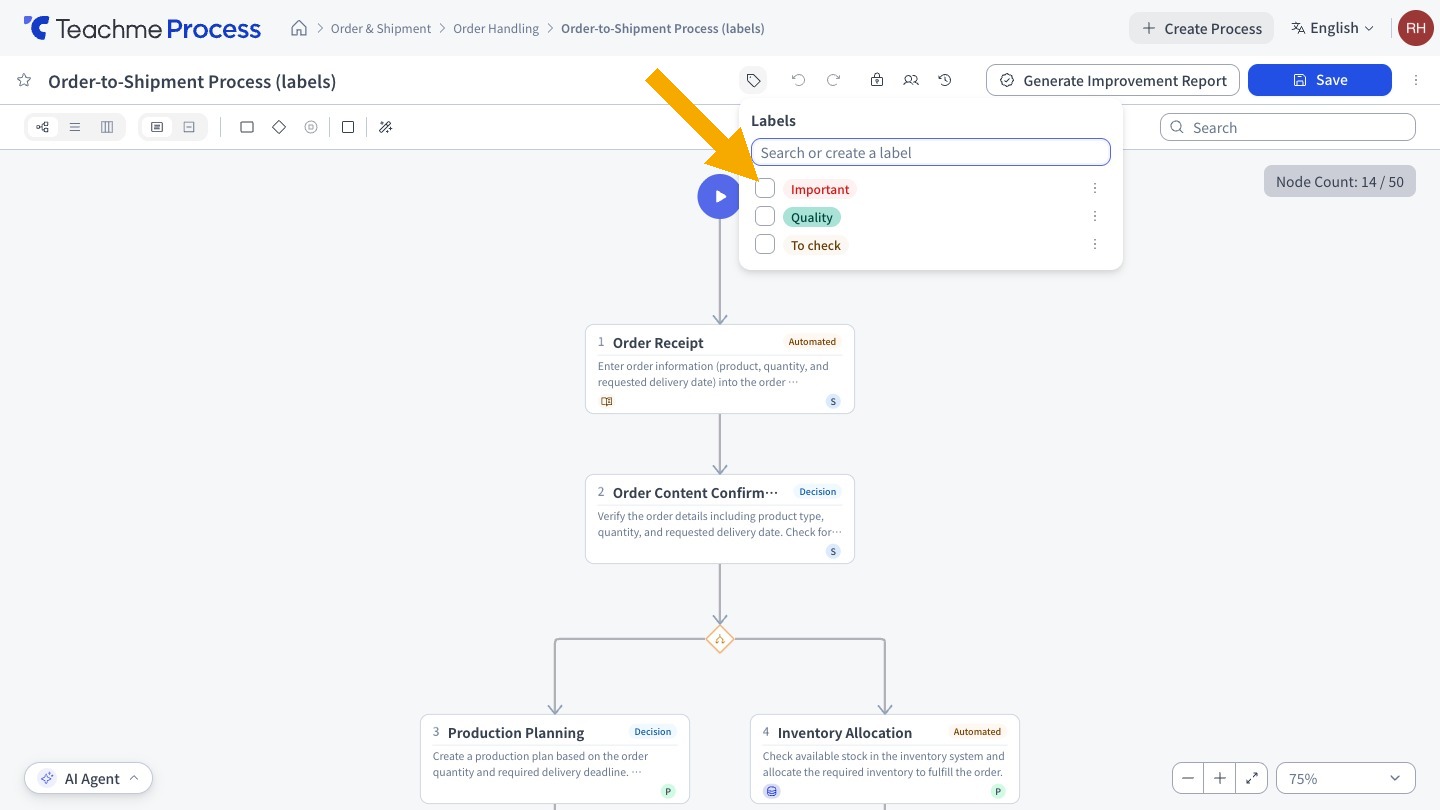
You can now classify processes by attaching labels such as "Important" or "Under Review".
Labels can be added or removed via the tag Icon to the right of the Process Name, and new labels can also be created on the spot.
Applied labels are displayed in the Processes list, and you can filter by label using "Advanced search".
Label names can be up to 10 characters, and you can choose from 12 colors.
Related:
Adding and removing labels from processes
https://teachme.jp/8/manuals/51212241
Filtering processes by label
https://teachme.jp/8/manuals/51212355
Changing a label's name or color
https://teachme.jp/8/manuals/51212268
Delete a label
https://teachme.jp/8/manuals/51212308