In Version History, you can view and restore previously saved states of a process.
Overview
Version History can be accessed from "History" in the header of the process detail screen.
A new version is created each time you save.
Specifications
What you can do
- View past versions
- Restore a past version
- Duplicate a process from a past version
- Edit Version Name
Duplicating from a past version also counts toward the number of processes that can be created per month.
You cannot duplicate if the Group has reached its creation limit for the current month.
Display
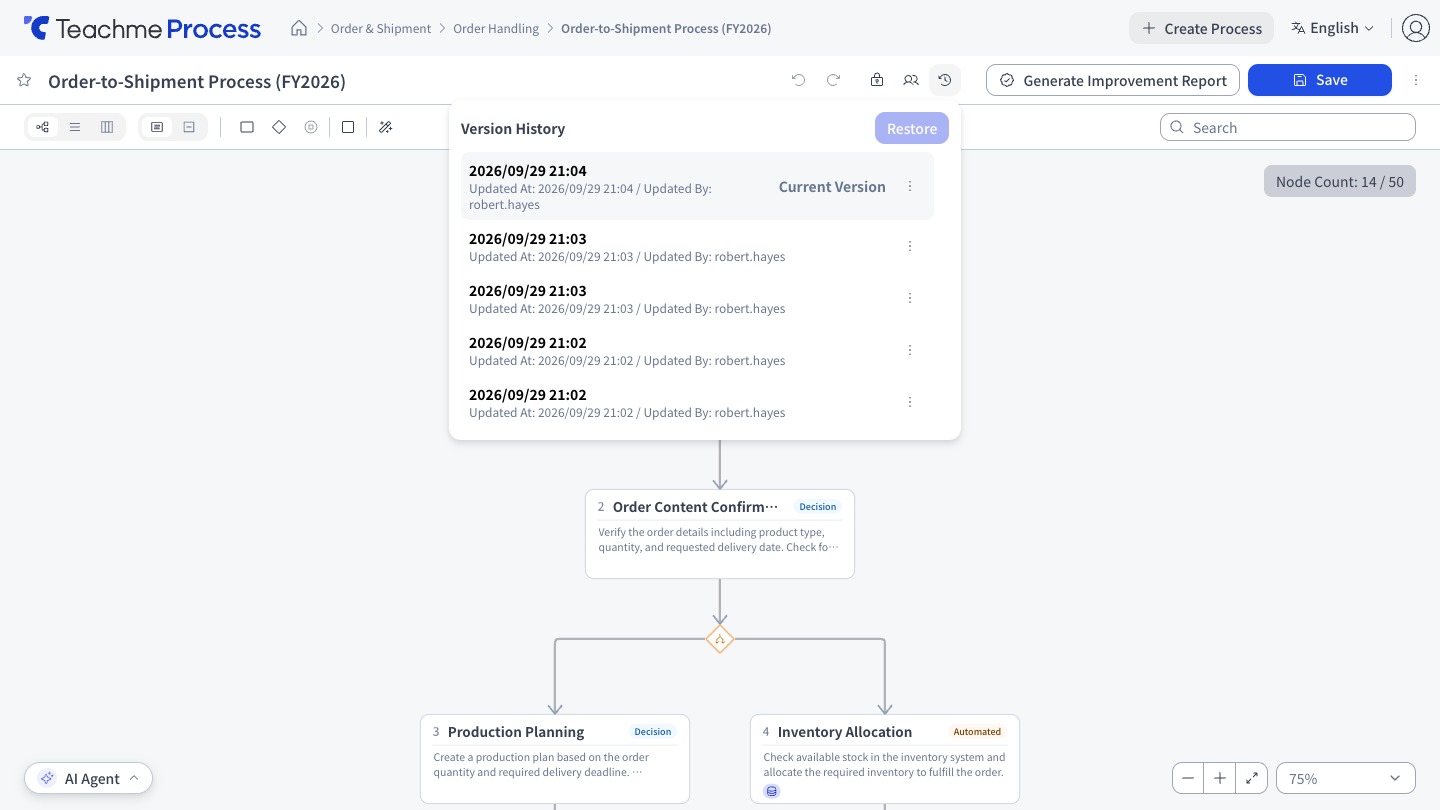
- The list shows the Updated By and Updated At for each entry
- The latest version is labeled "Current Version"
- You can also switch between flow, list, and Swimlane views on the Version History screen
Items excluded from version management
Related processes are excluded from version management. When viewing a past version, Upstream processes, Downstream processes, and Related processes are not displayed.
How to use
View a past version
https://teachme.jp/8/manuals/49803328
View the version history and edit a version name
https://teachme.jp/8/manuals/49818934
Restore a past version
https://teachme.jp/8/manuals/49818935
Duplicate a process from a past version
https://teachme.jp/8/manuals/49803465
Related
Tell me about Related processes
https://help.process.teachme.jp/hc/en-us/articles/61437186385305