In Version History, you can view and restore previously saved states of a process.
Overview
Version History can be opened from "History" in the header of the process detail screen. A new Version is created each time you save.
Specifications
What you can do
- View past Versions
- Restore a past Version
- Duplicate a process from a past Version
- Edit Version Name
Display
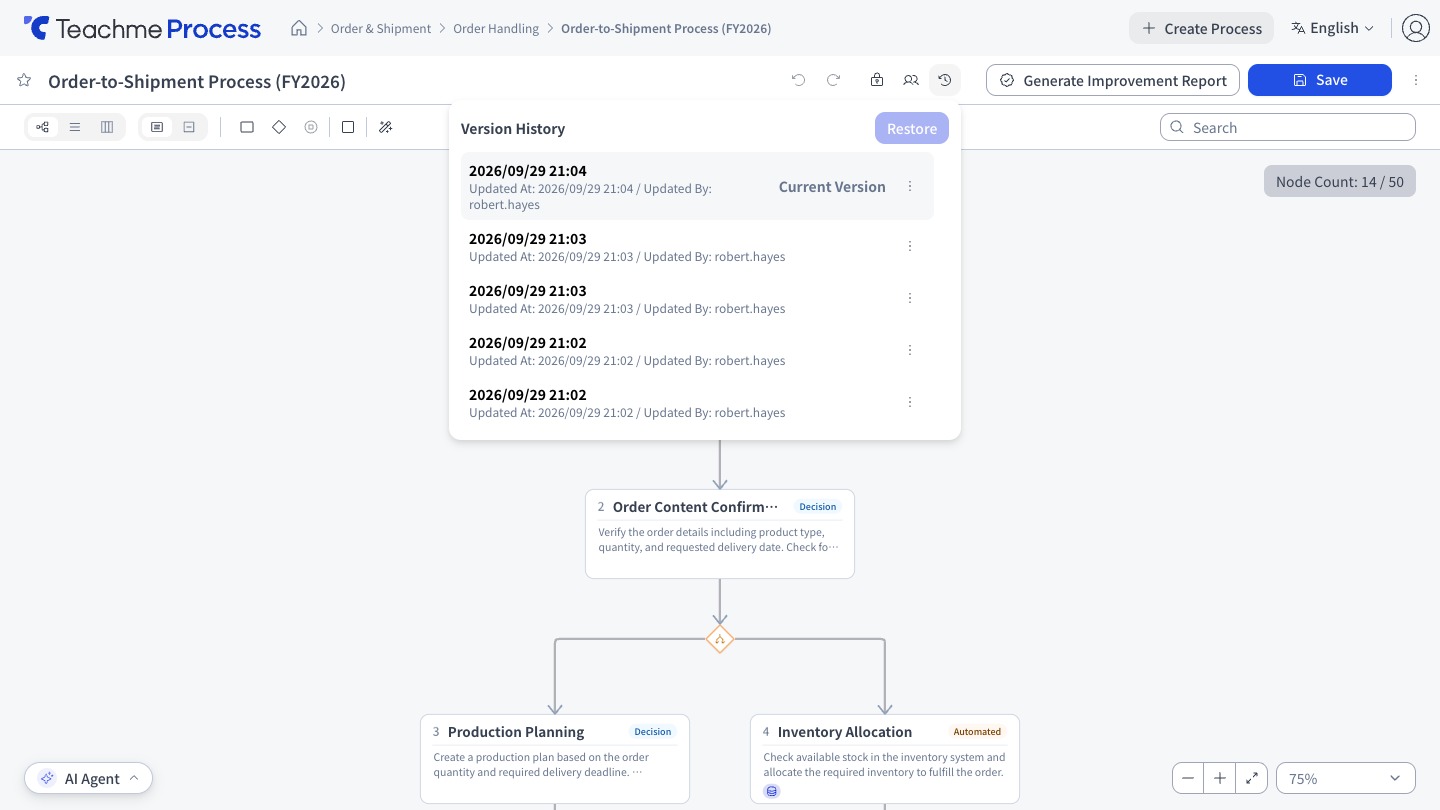
- The list shows the updater and Updated At
- The latest Version is labeled "Current Version"
- On the Version History screen, you can also switch between the flow, list, and Swimlane views
What is excluded from version control
Related processes are excluded from version control. When viewing a past Version, Upstream processes, Downstream processes, and Related processes are not displayed.
How to use
View a past version
https://teachme.jp/8/manuals/49803328
View the version history and edit a version name
https://teachme.jp/8/manuals/49818934
Restore a past version
https://teachme.jp/8/manuals/49818935
Duplicate a process from a past version
https://teachme.jp/8/manuals/49803465
Related
Tell me about Related processes
https://help.process.teachme.jp/hc/en-us/articles/61437186385305